
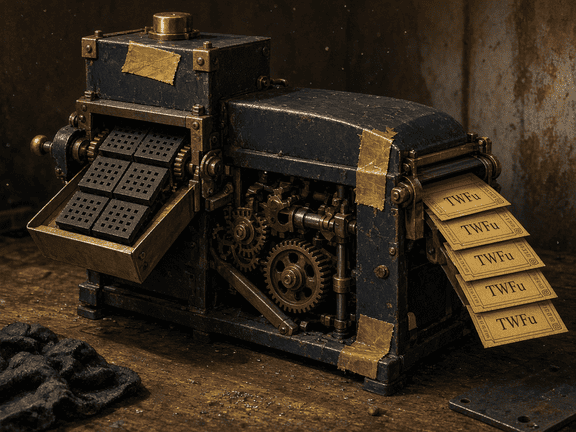
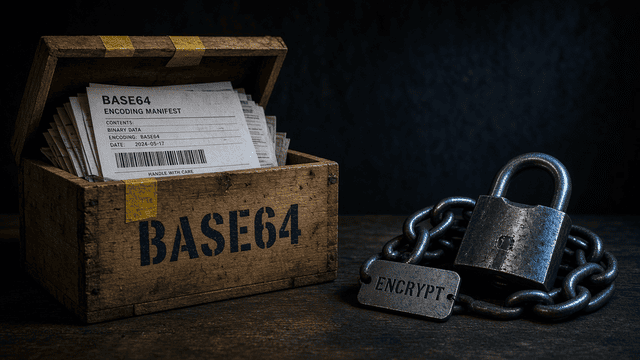
Three bytes walk in. Four glyphs walk out.
Take the textbook trio Man. Three ASCII letters. Three bytes. Twenty-four bits.
M a n
01001101
01100001
01101110
010011 19 T
010110 22 W
000101 5 F
101110 46 u
The mill you typed in above should already show TWFu. RFC 4648 uses foobar as its round-trip sample, which encodes to Zm9vYmFy. Same machine. Longer word. If your output disagrees, the encoder is not doing Base64.
Need a sentence packed for a JSON field on api.toolexe.com? Open Text to Base64. Holding the crate and want the sentence back? Use Base64 to Text. Skip the twenty-line script for a twenty-byte payload.
Padding is packing foam.
One leftover byte produces two glyphs and ==. Two leftover bytes produce three glyphs and =. The extra zero bits are not payload. Drop those equals signs only when the far end asked for Base64URL. JWT does. A random REST field usually does not.
A 200 KB icon is a passenger. A 12 MB photo is a hostage.
Every Base64 string is longer than the bytes it wraps. About a third longer once the input is more than a couple of bytes. Tiny leftovers look worse because padding fills the last quartet.
Inline a small PNG with PNG to Base64 or a JPEG icon with JPEG to Base64 when you want a data URL and you accept the cache cost. A hero photograph does not belong in CSS. Encode the file with File to Base64 only when a text pipe is the only path, then restore it with Base64 to File.
Browser converters on this site stall on huge video. That is a ceiling, not a tease. A desktop encoder still exists for a 400 MB capture. Do not paste it here.
What the far end asked for
Pick the converter from the destination, not from a feature grid. The Base64 tool index lists every packer and peeler. The waybills below are the tickets we keep seeing.
Image to Base64
Output a data URL. A 2 KB SVG belongs here. A 12 MB JPEG inlined in a stylesheet holds the CSS cache hostage and freezes the editor.
Base64 to Image
Strip a data: prefix first if the paste starts with one. The decoder wants the alphabet, not the wrapper.
Base64 to File
Decode, then download. Guessing the extension from the first glyphs is folklore. Trust a magic-byte check or the documented type.
Base64 Decode
JWT uses Base64URL. Hyphens and underscores replace plus and slash. Padding equals signs are missing on purpose. A strict RFC 4648 decoder rejects the payload until those swaps happen.
Base64 to Text
PEM wraps at 64 characters with line breaks. A decoder that forbids whitespace will choke on a valid cert. Fold the lines, then decode.
ASCII to Base64
Seven-bit source, text-safe wrap. The output is longer. Anyone who decodes the block reads the original sentence.
Block sitting on the clipboard from a webhook? Peel it in Base64 Decode before you trust the Content-Type the sender wrote.
Peel the clipboard blockSame cargo, three labels
People say Base64 the way they say ASCII: one word, several contracts. Mixing them is the usual production outage. A plus surviving in a query string. A hyphen arriving at a decoder that never heard of URL-safe. A PEM newline treated as corruption.
| Dialect | Alphabet | Padding | Line wrap | Where it lives |
|---|---|---|---|---|
| RFC 4648 standard | A-Z a-z 0-9 + / | Equals signs to a multiple of 4 | None required | Most APIs, HTML data URLs, XML text nodes |
| Base64URL | A-Z a-z 0-9 - _ | Usually omitted | None. The point is a URL token. | JWT segments, some OAuth blobs, filenames |
| MIME Base64 | Same as standard | Equals signs, same as RFC 4648 | 76 glyphs, then CRLF | Email attachments, many PEM cousins at 64 |
Suspicious about illegal glyphs, mixed plus and hyphen, or missing padding? Run Validate Base64 before you hand the string to a parser. Whitespace and URL-safe swaps belong in Normalize Base64 or Repair Base64. Guessing with a regex in a ticket is how the next outage gets a sequel.
Need a friendlier alphabet, case-insensitive, no plus or slash? That is Base32, sitting in this same category on purpose. Open Base32 Encode when a human has to read the token aloud. Do not call the output Base64. The alphabets disagree.
The packing floor
Three doors. Pack when you hold the original. Peel when the crate already arrived. Inspect when the string looks legal and still fails downstream.
Bytes to glyphs
Start here when you hold the original.
Encode Text to Base64 Image to Base64 File to Base64 PNG to Base64 JPEG to Base64 PDF to Base64 HTML to Base64 CSS to Base64 Hex to Base64Glyphs to bytes
Start here when the crate already arrived.
Decode Base64 to Text Base64 to Image Base64 to File Base64 to PDF Base64 to Hex Base64 to HTML Base64 to CSS JSON to Base64 Base64 to JSONBefore you ship
Broken padding and mixed alphabets fail in production, not in the demo.
Validate Base64 Repair Base64 Base64 Detector Normalize Base64 Base32 Encode Base32 Decode ASCII to Base64 All Base64 toolsIncidents from the loading dock
Glossary questions hide the real tickets. These are the ones that waste an afternoon.
-
INC-01
The decoder rejected a JWT payload. Is the token fake?
Usually no. JWT segments are Base64URL with padding stripped. Translate hyphens to plus, underscores to slash, then add equals signs until the length divides by 4. After that, a standard decoder reads the JSON. A rejected paste is a dialect mismatch far more often than a forged token.
-
INC-02
I pasted a data URL and the image tool printed garbage.
The prefix is not Base64. Cut everything through the comma in data:image/png;base64, so only the alphabet remains. Leave the prefix on when you are dropping the string into HTML or CSS. The two jobs look similar. They are not.
-
INC-03
Is Base64 encryption, hashing, or compression?
None of the three. Encryption needs a key. Hashing destroys the original on purpose. Compression shortens. Base64 lengthens by about a third and leaves the cargo readable to anyone who knows the alphabet, which is public. Treating TWFu as a secret is a mistake we still see in config files.
-
INC-04
Why is the encoded file a third larger?
Three bytes hold 24 bits. The alphabet only encodes 6 bits per glyph, so four glyphs take over. Padding equals signs make tiny payloads look even worse. A 1-byte input becomes 4 glyphs. That is the tax. Pay it for transport. Do not pay it to store a 12 MB photo inside a stylesheet.
-
INC-05
Do these converters upload the paste?
No. Packing and peeling run in the browser. Skip live tokens, private keys, and session cookies anyway. A screenshot of a decoded JWT in a ticket outlives the incident. Local execution is not a license to paste production secrets into a tab.
-
INC-06
The string has line breaks. Is it corrupt?
MIME and PEM insert line breaks on purpose, 76 or 64 glyphs to a row. RFC 4648 allows decoders to ignore whitespace. A strict alphabet check that treats a newline as illegal will reject a valid email attachment. Fold first, or use a decoder that strips whitespace, then judge the rest.
If the paste is not a crate
Seven-bit source text still belongs on the ASCII tools hub. Integrity checks are hashes, not encodings. Those live with the cryptography tools. The converters here move bytes through text pipes. They do not prove who sent the box.
Bookmark the mill. Pack from the original. Peel from the clipboard. Stop calling a 64-glyph alphabet a secret.